[Feb 2026] What’s New at Dashlane: AI-Ready Security, Easier Delegation for Admins, and More


In this monthly roundup of our latest product updates for organizations and individuals, check out how we delivered more value to you in February 2026.
For organizations
Audit logs for AI without breaking security boundaries
Getting sensitive audit data into AI systems often means choosing between fragile integrations and weakened security controls. Dashlane removes that tradeoff.
We’ve launched the Dashlane MCP server in beta for all business customers, exposing audit logs through the Model Context Protocol (MCP). This enables AI agents to query Dashlane audit logs in a controlled, read-only way without direct database access or custom pipelines.
With the Dashlane MCP server, teams can:
- Ask investigative questions in plain language instead of crafting complex queries
- Quickly scope incidents by timeframe, user, or event type
- Correlate Dashlane activity with other security signals
- Automate recurring audit and compliance checks
Zero-knowledge audit logs with a more powerful CLI
Security teams shouldn’t have to sacrifice privacy to gain visibility. Dashlane now provides zero-knowledge audit logs, which deliver complete zero-knowledge protection while maintaining the performance and usability security teams require.
Paired with this is an improved Command Line Interface (CLI) that lets admins:
- Download raw activity logs on demand
- Automate secure log exports at regular intervals
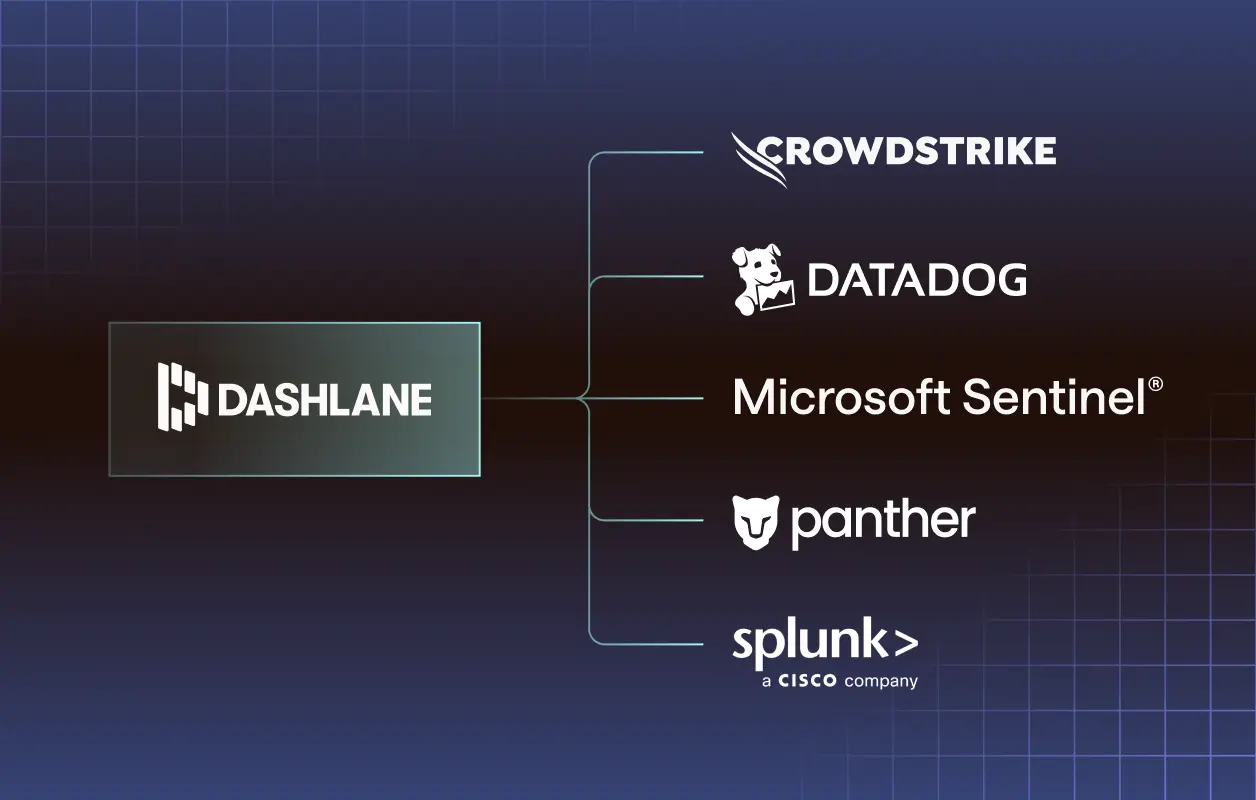
- Integrate Dashlane activity into SIEMs, EDRs, and internal security tools
By leveraging confidential computing, we’re proving that organizations don’t have to choose between visibility and privacy.
Clearer, more actionable Credential Risk Notifications & Alerts and AI Phishing Alerts
We’ve refreshed Credential Risk Notifications & Alerts and AI Phishing Alerts, part of Dashlane Omnix®, to make risks easier to understand and faster to act on.
Credential Risk Notifications & Alerts now identify the specific at-risk credential, and AI Phishing Alerts use more urgent language. Plus, admins can add custom messaging and a trusted support contact, such as an email address or help desk link, to the alerts.
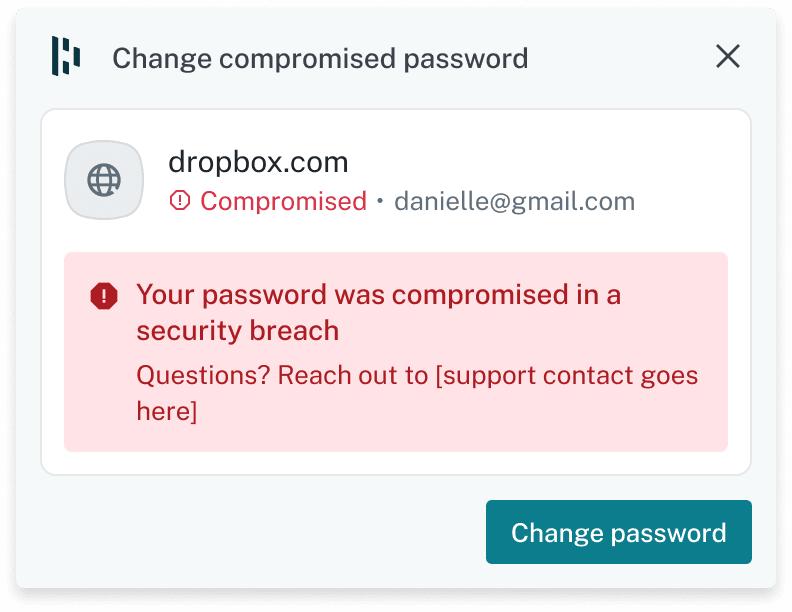
These changes help employees recognize legitimate security alerts, understand what to do next, and know where to go for help, improving both adoption and response time.
Secure delegation with the Scoped Group Manager Role
To help organizations scale securely, Dashlane has introduced the Scoped Group Manager role.
This new role allows admins to create designated managers who oversee only the teams or projects they own—such as HR or Accounting—while remaining restricted from broader organizational access.
Thus, admins can reduce their workload while still enforcing least-privilege access across the organization.
Domain verification without SSO friction
Starting later this week, domain verification is no longer tied to setting up SSO.
Admins can now verify and manage domains through a new standalone Domain Management page, accessible from the Account menu. This decoupling simplifies workflows and unlocks several benefits:
- Reduced friction: Verify domains for features like Dark Web Insights or SCIM without configuring SSO
- Improved efficiency: Add or verify domains directly from feature-specific modals
- Future readiness: Get a standardized approach for activating upcoming organization-wide capabilities
- Enhanced security: Easily migrate from legacy verification to a Nitro-based, zero-knowledge backend
One IdP across multiple Dashlane teams
Admins can now use the same IdP to set up Confidential SSO across multiple Dashlane teams, extending Confidential SSO’s benefits to more employees. For example, the IT department can use one team and the Sales department can use another team, with all employees having email addresses ending with “@mycompany.com.”
To set up this additional team, please contact Customer Support for assistance.
For organizations and individuals
A smarter “For You” experience on mobile
The redesigned For You tab on mobile is a centralized hub that makes your security experience smoother, faster, and more intuitive.
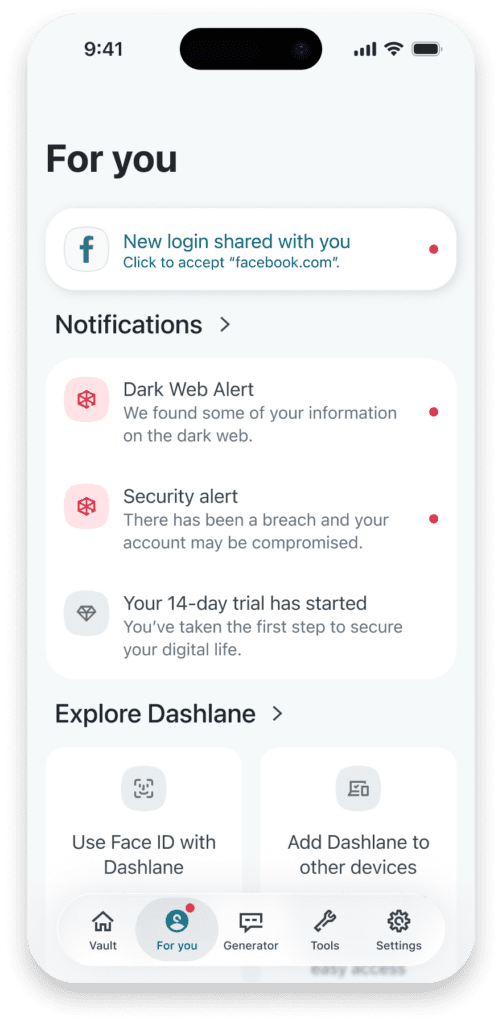
It offers faster onboarding for key security features and provides all your notifications in one place.
The For You tab is available now for all business and personal users on Android and iOS.
Support for the next generation of AI browsers
Dashlane continues to work seamlessly as AI-powered browsers emerge. Our browser extension is now fully compatible with:
- Perplexity Comet
- OpenAI Atlas (macOS)
- Atlassian Dia (macOS)
If you already rely on Dashlane, you can keep doing so as browser experiences evolve—no changes required.
One passkey, multiple domains, no friction
No longer must users have multiple passkeys for multiple linked domains. Dashlane supports using one passkey for two or more linked domains, such as amazon.com and amazon.fr, without friction or workarounds.
Now, using passkeys is easier and more seamless than ever.
Automatic strong passwords on iOS
On iOS 26.2+, Dashlane now natively generates, customizes, and saves strong passwords directly within third-party apps and websites.
This ensures Dashlane remains the primary vault, preventing credentials from being stored in Apple Passwords by default and delivering a more secure experience.
Sign up to receive news and updates about Dashlane