Authentication Vs. Authorization: Who You Are Vs. What You Can Touch

The badge that opened every door
In mid-2025, two security researchers testing McDonald's hiring platform, McHire, found a login page still protected by default credentials: "123456." That got them into a test account.
From there, the researchers found an API endpoint that returned applicant data by a simple ID number. They changed the number. Another applicant's data came back, and they kept changing it. By the time the researchers stopped, they'd shown that roughly 64 million job applications, names, emails, phone numbers, addresses, and chat transcripts could be pulled one ID at a time.
It didn’t require any password cracking or exploit chain, just a login that should never have worked, and a system that never asked whether the person behind it was allowed to see any particular applicant's file.
Two failures are combined here. The first was a weak credential. The test account that hadn’t been decommissioned was protected by a weak default password. But, an attacker who guesses a password still only has access to one account.
What turned that one account into 64 million exposed records was the second failure: Nothing on the backend checked whether the account making the request had any relationship to the applicant it was requesting information on. Being logged in was treated as being allowed, but those are not the same thing.
In the first post in this educational series, I covered how attackers map your attack surface before you do. This post covers what happens after they get in the front door and why that front door is only half the story. I was, in part, inspired by Neo Kim and Saed Farah's 21 Cybersecurity Terms Every Software Engineer Must Know, which framed authentication and authorization as two separate questions a system has to answer, in order.
Two different questions
Authentication answers: Who are you? Authorization answers: What are you allowed to touch?
Most security conversations, and most engineering effort, concentrate on the first question. Passwords, MFA, passkeys, and SSO are all related to authentication. Getting that layer right matters, but it's also not sufficient. A system can authenticate someone perfectly and still hand them data or actions that were never meant for them because nobody checked authorization.
That gap is exactly where the McHire breach happened. The researchers were authenticated, technically, the moment they logged into that test account. What failed was the object-level check that should have run on every single request afterward: Does this authenticated user have any relationship to this specific applicant record? Is it authorized to access that data?
The industry has a name for this failure mode. It’s called Insecure Direct Object Reference (IDOR). It's been sitting at or near the top of the OWASP Top 10 for years, and it persists because it's conceptually simple to explain but easy to skip in practice. One missing line of ownership-checking code, repeated across enough endpoints, and the entire authorization layer becomes useless.
Two models exist to enforce the authorization question systematically:
- Role-based access control (RBAC): Permissions attached to a role. An admin can do admin things, and a member can do member things.
- Attribute-based access control (ABAC): Permissions computed from attributes, like device, location, time of day, or the specific object being requested.
Most enterprise systems, Dashlane included for our business customers, lean on RBAC as the backbone because it maps to how organizations already think about roles. But RBAC only helps if it's enforced at the object level and on every request, not assumed once at login and forgotten afterward.
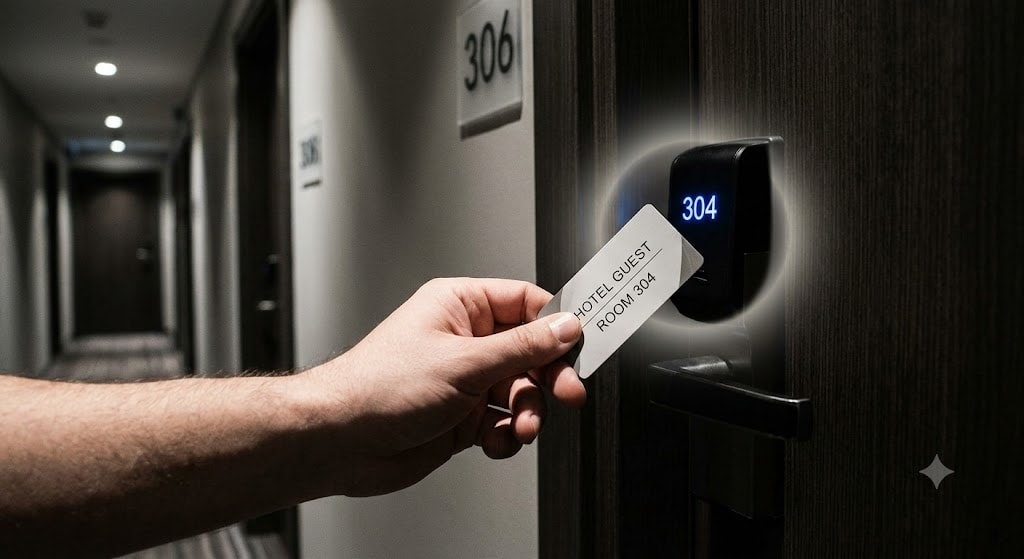
Think of it as getting into a hotel. The front desk will ask for a driver’s license or passport to authenticate you. Then, they’ll issue your key card, which authorizes you to access a specific room. The card is programmed to open your room and no one else's. It doesn't open the floor above, the manager's office, or the room three doors down just because you're a legitimate guest of the hotel. A well-built access system checks the room number every single time the card touches a lock, not once when you check in.
How we approach this at Dashlane
Accessing your vault
One distinction matters before going further: Dashlane's own architecture doesn't map cleanly onto classic authentication versus authorization due to the vault architecture. There's no "you're logged in; now what are you allowed to see?" question inside your own vault because nobody but you, not even Dashlane, can decrypt it in the first place.
The split for Dashlane is about accessing the vault versus decrypting it. Both are forms of proving identity, just through separate mechanisms.
Think of a bank vault. You show your ID at the counter to get into the vault room. That proves who you are to the bank, and the bank lets you in. But the room itself holds nothing for you because you still need your own safe key to open your specific box. The bank can grant you entry to the room, only you can open the box, and the bank never holds a copy of your key.

Every device accessing an account must be explicitly verified and bound to that account through a unique Device Key. To register a new device and access a vault, you need to use a verified email address through an email token or use MFA. That's the ID at the counter.
In addition, we verify that you have the knowledge of your master password using the OPAQUE protocol, without gaining any information about your Master Password. That process results in the creation of a unique Device Key. That key, not the Master Password, is what “authenticates” the device to our servers.
The Master Password never touches our infrastructure, and can then be used as the key to your safety deposit box. It only decrypts the vault locally and on a device that's already proven it belongs to the account.
That separation is deliberate. Authentication and vault decryption are cryptographically independent processes: one proves the device is trusted, the other proves the person holds the Master Password and can decrypt the vault. An attacker needs both, and neither is retrievable from the other.
Authorization is role-enforced at the enterprise level
This is where the classic authorization question, “What are you allowed to do?,” actually applies at Dashlane: Role-Based Access Control. Dashlane business accounts run a defined role hierarchy:
- Admin: Full control over the organization's workspace, provisioning, SSO/SCIM, and policy.
- Group Manager: Manages sharing groups and their membership, with no access to other organizational data.
- Scoped Group Manager: Manages only the specific groups an admin assigns, nothing wider.
- Member: Manages personal and shared credentials within admin-defined policy.
Each tier is scoped to the least privilege that role needs. Every request is checked against these roles at the endpoint, which is the object-level check McHire was missing.
We don’t stop there. We also design around zero knowledge, so that a missing check doesn’t become a data breach. Authorization decides who may request encrypted data, and encryption decides who can read it.
- Group data: Admins and Group Managers hold, in their own vaults, the decryption keys that allow them to manage sharing groups. Without these keys, no one can decrypt group data. If a vulnerability allowed a member to retrieve the data of a group they don’t belong to, they would get ciphertext they can’t read.
- Item sharing: When someone shares a credential with you, two things happen. 1) You receive an authorization to access the encrypted credential, and 2) the decryption key is sent to you through asymmetric encryption. The server can grant the first, and only you can decrypt the second because your private key is in your vault.
The reason this matters comes back to the McHire lesson. Authorization has to be checked at the object level continuously, not assumed once and left alone. A role hierarchy that's cryptographically enforced on every action ensures there’s no missing ownership check left open there.
Takeaways for your organization
- Treat authentication and authorization as separate systems. The authentication layer should be separated from the authorization layer. It should be implemented as a middleware and not individually on every endpoint. If compromising the login layer alone gets an attacker to unauthorized data, the two layers aren't properly segregated.
- Check authorization on every request, not just at login. If a user's role or permissions are validated once at session start and trusted for everything after, you have the risk of an IDOR. Object-level checks need to run each time a resource is requested, not once per session.
- Test for broken access control specifically, not just broken login. Penetration tests need to both test for authentication and authorization failures. Explicitly try changing IDs, roles, and object references once logged in as a low-privilege user.
- Enforce deny-by-default. Access should be granted explicitly for a role or resource, never available by default and revoked as an afterthought. When a permission isn't explicitly set, the system should assume no.
- Bind authentication to multiple factors for more privileged access. Aim for something the user has, not just something they know. A password alone is a shared secret that can be phished, reused, or leaked. Verified devices, hardware security keys, or passkeys add a factor that's far harder to steal at scale. Ensure different lifecycles of authorization when crossing access level boundaries. For example, an admin can be requested to re-authenticate for admin-level action when its user-level accesses are still valid.
Looking ahead
The next question is what happens when the person on the other end of a request isn't a person at all but a service account, an API integration, or an AI agent acting on someone's behalf.
Authentication and authorization get harder when "who" stops meaning a human with a face and a badge.
Sign up to receive news and updates about Dashlane